Stakeholders want to know three things about any project: where it stands, what has been achieved and what needs attention. A progress report answers those questions in a clear, consistent format. Whether you manage a construction project, a software release, a research grant or a marketing campaign, a regular progress report keeps sponsors, clients and team members aligned and helps you spot problems before they become crises.
Our free professional progress report template for Microsoft Word uses a modern indigo and teal dashboard layout with an overall status snapshot, accomplishments, milestone tracking, risks, decisions, owners, due dates and next-period priorities. Preview the template below, download the editable DOCX file and follow our guide to writing progress reports that drive action.
Download the professional progress report template
Download the Professional Progress Report Template
Built as a practical management dashboard, this indigo-and-teal Word template includes an overall status snapshot, accomplishments, milestone tracking, risks, decisions, owners, due dates, and next-period priorities.
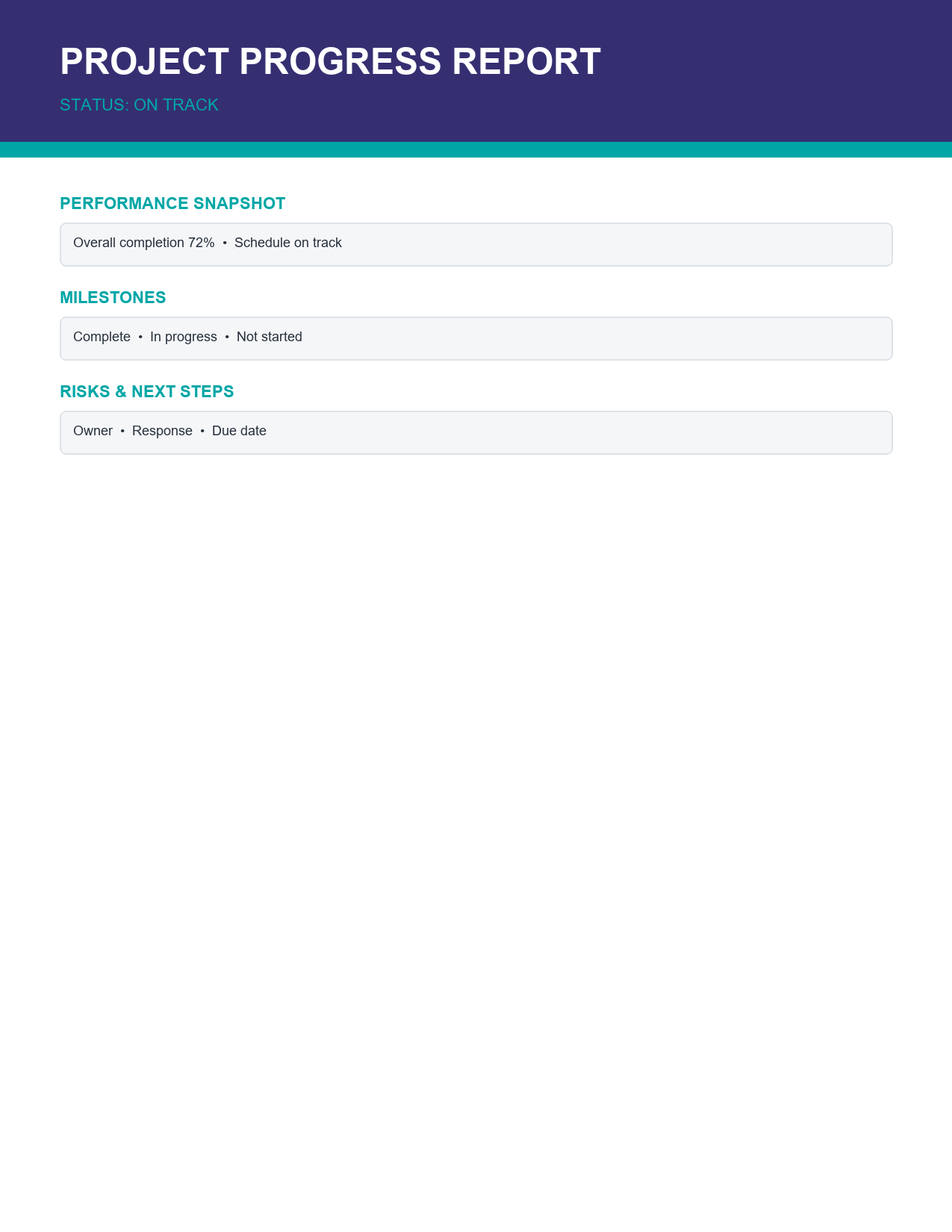
The template opens in Microsoft Word, Google Docs and LibreOffice Writer. All sections, colours and tables are fully editable, so you can adapt the report to weekly, fortnightly or monthly reporting cycles.
What is a progress report?
A progress report is a document that describes how a project or piece of work is advancing against its plan. It summarizes completed work, current status, upcoming tasks, risks, issues and decisions needed. Progress reports are used in business, government, construction, research, education and non-profit work. They can be written for internal managers, external clients, funding bodies or boards, and range from a single page to a detailed multi-page document.
Sections included in the template
Report header
Project name, report period, prepared by, date and distribution list, so readers instantly know the context.
Overall status snapshot
A dashboard-style summary showing whether the project is on track, at risk or off track for schedule, budget and scope. Colour coding makes the status obvious at a glance.
Accomplishments this period
Key work completed since the last report, written as concise bullet points with measurable results.
Milestone tracking
A table listing milestones, planned dates, forecast or actual dates and status, showing whether the project is meeting its key deadlines.
Risks and issues
Current risks and issues, their impact, owner and mitigation actions, so problems are visible and managed.
Decisions needed
Items requiring approval or input from sponsors or stakeholders, with owners and due dates.
Next-period priorities
The most important work planned for the next reporting period.
How to write a progress report step by step
- Confirm who will read the report and what they need to know.
- Fill in the header with the project name, period and author.
- Review the project plan and compare it with actual progress.
- Set the overall status for schedule, budget and scope honestly.
- List the top accomplishments with measurable outcomes.
- Update the milestone table with planned and forecast dates.
- Record new and existing risks and issues with owners and actions.
- List decisions or support needed from stakeholders.
- Set priorities for the next period.
- Write a short summary at the top highlighting the most important points.
- Proofread the report and send it on schedule.
Using RAG status effectively
Many progress reports use a red, amber and green (RAG) status system. Green means the project is on track. Amber means there are risks or minor delays that are being managed. Red means the project is off track and needs intervention or decisions from stakeholders. To make RAG status meaningful, define clear criteria, such as "amber if a milestone is forecast to slip by up to two weeks, red if more than two weeks". Report status honestly; projects that stay green until they suddenly turn red lose stakeholders' trust.
Progress report example summary
"Overall status: Amber. The website redesign is 65% complete. Design and content were finished this period, and development of the product pages is underway. The launch milestone is forecast to slip one week, from 14 to 21 November, because of delayed content approvals. Budget remains on track at 58% spent. Risk: the payment integration depends on a third-party supplier; mitigation is a weekly check-in call. Decision needed: approve the revised launch date by 10 November. Next period: complete development, begin user testing and finalize the launch communications plan."
Tips for writing effective progress reports
- Start with a short summary; many readers will read nothing else.
- Focus on outcomes rather than activities.
- Use numbers, percentages and dates to make progress measurable.
- Be honest about problems and explain what you are doing about them.
- Clearly state any decisions or help you need.
- Keep the format consistent from report to report.
- Use bullet points and tables instead of long paragraphs.
- Send reports on a regular schedule.
- Keep the report to one or two pages for most audiences.
Who uses progress reports?
- Project managers reporting to sponsors and steering committees.
- Consultants and agencies updating clients.
- Contractors reporting to property owners and developers.
- Researchers reporting to funding bodies and universities.
- Non-profits reporting to donors and grant providers.
- Team leaders updating senior management.
- Students reporting on dissertations and capstone projects.
- Government departments reporting on programmes and policies.
Progress report vs. status report vs. final report
The terms progress report and status report are often used interchangeably. A status report sometimes focuses more on the current state of a project at a point in time, while a progress report emphasizes advancement over a period. A final or closure report is written at the end of a project and evaluates overall results, lessons learned and outcomes against original objectives. This template is designed for regular progress and status updates throughout a project; adapt the sections for a final report by adding objectives achieved and lessons learned.
How often should you send progress reports?
The right frequency depends on the project's pace and risk. Fast-moving or high-risk projects benefit from weekly reports. Most projects use fortnightly or monthly reporting. Long-term research or grant-funded work may require quarterly reports. Agree on the frequency with stakeholders at the start of the project and keep to it. Consistent timing builds trust and makes it easier to compare progress over time.
Customizing the template
Change the indigo and teal colours to match your company's branding by selecting table cells and choosing Table Design > Shading. Add your logo to the header. Rename sections to match your organization's language, for example "Achievements" instead of "Accomplishments". Insert additional rows into the milestone, risk and decision tables as needed. If you report on several projects, create a summary page with one row per project and its RAG status, followed by individual project pages.
Common progress report mistakes
- Reporting activities without results.
- Hiding problems or reporting everything as green.
- Too much detail that buries key messages.
- Inconsistent formats that make comparison difficult.
- No clear request for decisions or support.
- Late or irregular reports.
Writing the accomplishments section
The accomplishments section is often the most read part of a progress report after the summary. Focus on results rather than effort. Instead of "worked on the user interface", write "completed and approved designs for 12 of 15 screens". Group accomplishments by workstream or milestone so readers can see which parts of the project are moving. Limit the list to the five to eight most significant items, and link each one to the project plan where possible, so stakeholders understand how the work moves the project closer to its goals.
Managing risks and issues in your report
A risk is something that might happen and affect the project; an issue is a problem that is already happening. Record each risk or issue with a short description, its likely impact on schedule, budget or quality, the owner responsible and the action being taken. Rate risks by probability and impact, such as high, medium or low, and highlight the top ones in the summary. Update the list every period, closing items that are resolved and adding new ones. Transparent risk reporting gives stakeholders confidence that problems are being managed and allows them to step in early when needed.
Presenting your progress report in meetings
Progress reports are often discussed in steering committee or client meetings. Send the report a day before the meeting so attendees can read it in advance. Use the meeting to discuss red and amber items, decisions needed and next priorities, rather than reading the report aloud. Record any decisions and new actions in the meeting minutes and reflect them in the next report.
Frequently asked questions
Is this progress report template free?
Yes. Download, edit and use it for any number of projects.
Can I use the template in Google Docs?
Yes. Upload the DOCX file to Google Drive and open it with Google Docs.
How long should a progress report be?
One to two pages for most projects. Larger programmes may need more, but always start with a one-page summary.
Can I use this template for student projects?
Yes. Students can use it to update supervisors on dissertations, research and group projects.