
A professional letterhead is one of the simplest ways to make every letter, quotation and notice from your business look credible and consistent. It tells recipients immediately who the document is from, reinforces your brand and provides your contact details in a tidy, recognizable format. Whether you run a start-up, a consultancy, a law office, a shop or a non-profit, a well-designed letterhead makes your correspondence look polished.
Our free modern company letterhead template for Microsoft Word uses a minimalist slate and copper design with an editable brand header, recipient block, subject line, professional letter structure, signature area and coordinated footer for your address, phone, email and website. Preview the letterhead below, download the editable DOCX file and follow our guide to setting up and using letterhead professionally.
Download the modern company letterhead template
Download the Modern Company Letterhead Template
This minimalist slate-and-copper Word letterhead includes an editable brand header, recipient block, subject line, professional letter structure, signature area, and coordinated footer for address, phone, email, and website details.
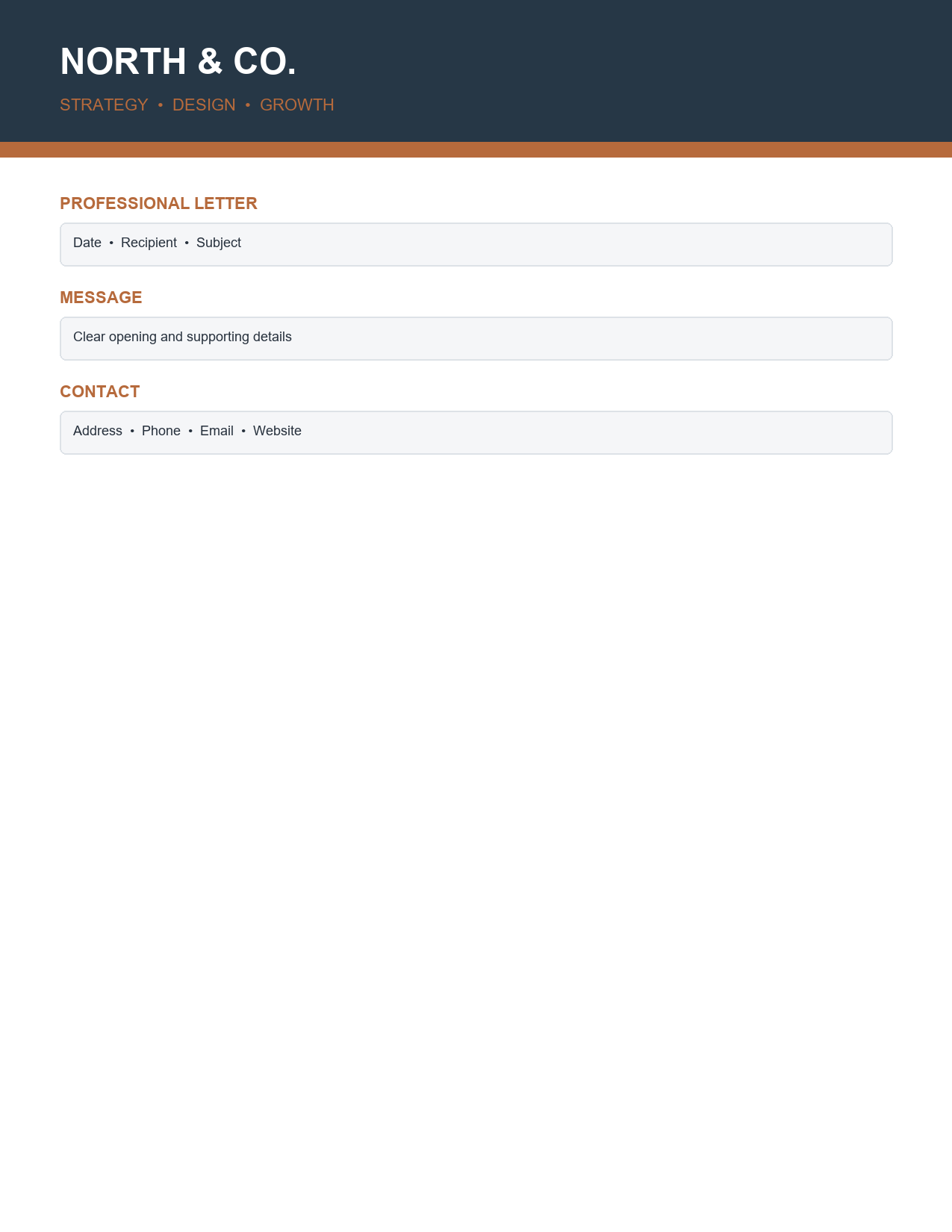
The template opens in Microsoft Word, Google Docs and LibreOffice Writer. Because the header and footer are built into the document, they appear automatically on every page of longer letters.
What is a letterhead?
A letterhead is the heading printed at the top of a sheet of business stationery, usually containing the company name, logo and contact information. Many letterheads also include a footer with the registered address, registration number, tax number or website. Letterheads are used for business letters, quotations, invoices, offer letters, reference letters, official notices and other formal correspondence, both printed and sent as PDFs.
Features of this letterhead template
- A minimalist slate and copper colour scheme that looks modern and professional.
- Brand header with space for your logo, company name and tagline.
- Recipient block for name, title, company and address.
- Date and reference line.
- Subject line that tells the reader the purpose of the letter at a glance.
- A professional letter structure with greeting, body paragraphs and closing.
- Signature area for name, title and handwritten or digital signature.
- Coordinated footer for address, phone, email and website.
- Clean typography and generous margins for easy reading.
What to include on a company letterhead
- Company logo.
- Registered business name.
- Tagline or brief description, if desired.
- Physical or mailing address.
- Phone number.
- Email address.
- Website URL.
- Company registration number, tax or VAT number, where legally required.
- Social media handles, for marketing-focused businesses.
- Licence or accreditation numbers for regulated professions.
How to customize the letterhead step by step
- Open the template in Word and save a master copy named, for example, Company-Letterhead.docx.
- Double-click the header area to edit it.
- Replace the placeholder logo with your own using Insert > Pictures, then resize it to fit.
- Enter your company name and tagline.
- Double-click the footer and enter your address, phone, email and website.
- Add registration or tax numbers if required in your country.
- Adjust the slate and copper colours to match your brand if needed.
- Close the header and footer and check the layout in Print Preview.
- Save the file as a Word template (DOTX) so each new letter starts from a fresh copy.
- Share the template with colleagues so everyone uses the same letterhead.
Writing a professional business letter
The letterhead creates a strong first impression, but the content must be equally professional. Start with the date and the recipient's details, followed by a clear subject line. Use a formal greeting, such as "Dear Ms. Rahman". In the first paragraph, state the purpose of the letter. Use the following paragraphs to provide details, keeping each focused on one point. Close with a clear next step or request, followed by a professional sign-off such as "Kind regards" or "Sincerely", your signature, name and job title.
Business letter example
"Subject: Proposal for Annual Maintenance Services. Dear Mr. Lee, Thank you for meeting with us last week to discuss maintenance requirements for your three office buildings. As requested, we are pleased to submit our proposal for a 12-month preventive maintenance contract. Our team will carry out monthly inspections, quarterly servicing of HVAC systems and 24-hour emergency response, with a dedicated account manager as your single point of contact. The enclosed quotation details all costs. We would welcome the opportunity to answer any questions and can begin service from 1 January. Kind regards, Amina Shah, Operations Director."
Uses for company letterhead
- Business letters and formal correspondence.
- Quotations, proposals and estimates.
- Offer letters, employment contracts and reference letters.
- Salary increase and promotion letters.
- Official notices to customers, suppliers and tenants.
- Letters of recommendation and introduction.
- Press releases and media statements.
- Certificates, memos and internal announcements.
- Invoices and receipts for small businesses.
Letterhead design tips
- Keep the design simple; the letter content should remain the focus.
- Use your brand colours and fonts consistently.
- Place the logo at the top left or top centre for strong recognition.
- Make contact details easy to find but not overpowering.
- Leave generous margins for readability and printing.
- Use a high-resolution logo so it prints sharply.
- Test the letterhead in colour and black and white.
- Ensure it looks good as a PDF on screen as well as in print.
Printed vs. digital letterhead
Some businesses print stationery in bulk on premium paper, then run letters through an office printer. Others use digital letterhead only, typing letters directly into the Word template and sending them as PDFs. Digital letterhead is cheaper, always up to date and ideal for email, while printed letterhead on heavier paper creates a premium impression for important documents. This template works for both: print it on 100 to 120 gsm paper for formal letters or export PDFs for email.
Making the letterhead a Word template
Saving the letterhead as a Word template prevents accidental changes to the master file. Go to File > Save As and choose Word Template (*.dotx). When you double-click the template, Word opens a new untitled document based on it, keeping the original intact. Store the template in a shared folder or your organization's template library so employees always use the latest version. Lock the header and footer with Restrict Editing if you want to prevent changes to branding.
Legal details on business stationery
In many countries, companies must include certain information on business letters and order forms, such as the registered company name, registration number, place of registration and registered office address. VAT-registered businesses may also need to show their VAT number on invoices. Check the requirements in your jurisdiction and add these details to the footer, so every letter you send is compliant.
Letterhead for different industries
Professional services
Law firms, accountants and consultants often prefer conservative, elegant letterheads with a serif font, a restrained colour palette and full registration details in the footer.
Creative businesses
Design studios, photographers and marketing agencies can use bolder colours, larger logos and modern fonts, while keeping the letter area clean.
Healthcare and education
Clinics, schools and training providers should emphasize trust and clarity, with clear contact details and any accreditation or licence numbers.
Trades and construction
Builders, electricians and contractors benefit from a strong, simple design that includes licence numbers, insurance details and a service area.
Matching stationery set
For a consistent brand, use the same colours, fonts and logo across your letterhead, business cards, invoices, quotations, envelopes, email signatures and presentation templates. A matching stationery set makes your business look established and trustworthy. Start with this letterhead, then apply the same header and footer to your invoice, quotation and memo templates so every document a client receives looks like part of the same family.
Common letterhead mistakes
- Logos that are blurry or stretched.
- Too much information crowding the header.
- Outdated addresses or phone numbers.
- Fonts that are hard to read in print.
- Colours that look different in print and on screen.
- Missing legally required company information.
Frequently asked questions
Is this letterhead template free?
Yes. Download, edit and use it for your business correspondence.
Can I edit the letterhead in Google Docs?
Yes. Upload the DOCX file to Google Drive and open it with Google Docs. Check the header and footer positions before printing.
How do I add my logo?
Double-click the header, select the placeholder logo and use Insert > Pictures or Change Picture to add your own.
What paper should I print letterhead on?
Use 100 to 120 gsm bright white or cream paper for a professional feel.
Should letterhead appear on every page of a letter?
Many businesses show the full letterhead on page one only and use a simpler header with the company name and page number on later pages. In Word, enable Different First Page under Header & Footer options.
Can I save the letterhead as a PDF?
Yes. Write your letter in the template, then use File > Save As > PDF to send it by email.
Can several employees use the same letterhead?
Yes. Save it as a shared Word template so everyone starts from the same approved design and contact details.
Related resources
- Modern Professional Resume Template – Free Word Download
- Elegant Share Certificate Template – Free Word Download